
PeakPlay AMOE: handwritten mail-in requests
PeakPlay combines an online barcode registration with a physical postcard sent without an envelope.
PeakPlay’s AMOE procedure describes 1 Sweepstakes Coin and uses a mailed postcard carrying an EasyScan barcode. Completing the online form alone does not submit the postal entry.
Materials
- Verified account; blank 4 × 6 inch postcard; pen and postage.
- Printer, scissors and clear tape.
Prepare the postcard
Register
Open the EasyScan AMOE form through PeakPlay. Enter your legal name, verified address, phone, email and date of birth.
Print the barcode
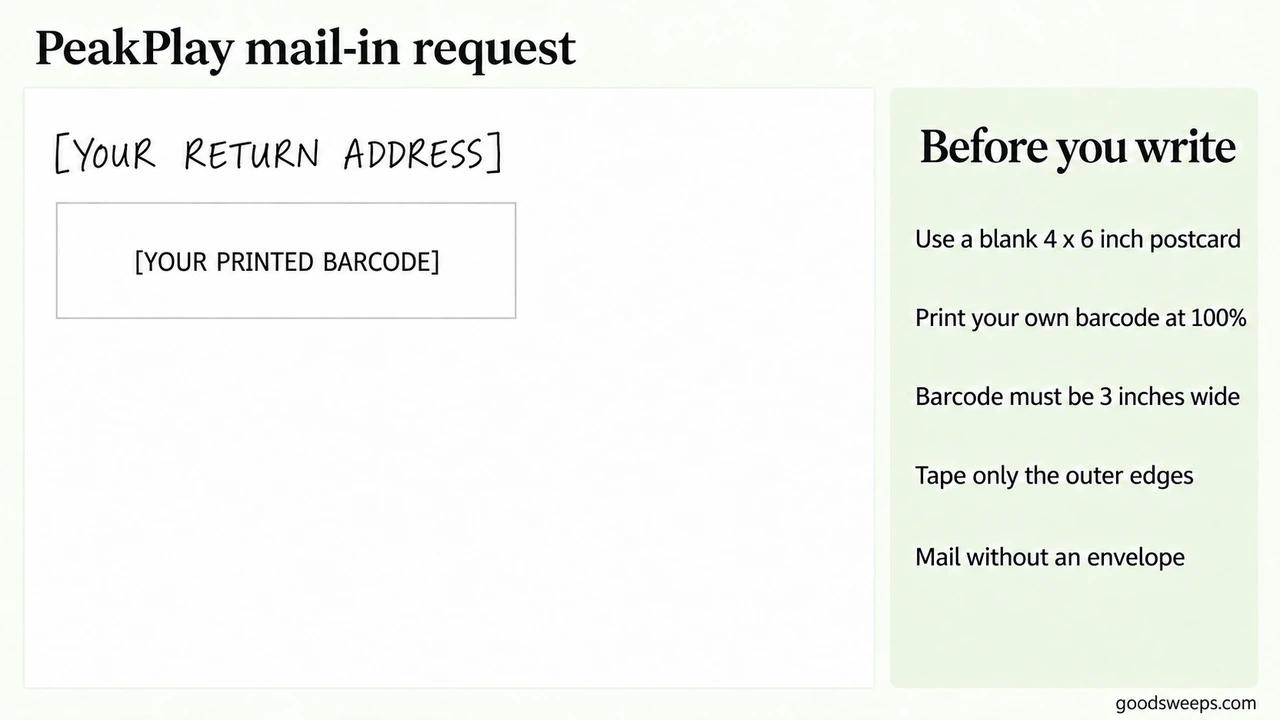
Print the generated barcode at 100% size, exactly 3 inches wide. Use the supplied printout, not a screenshot. Cut it along its guide and tape only the edges, leaving the barcode unobstructed.
Finish the card
On the back, handwrite the return address at the upper left and attach your barcode below it. Use one barcode per postcard. Put the postal destination on the mailing side and send without an envelope:
PeakPlay AMOE
c/o SCA Promotions
3030 LBJ Freeway, Suite 300
Dallas, TX 75234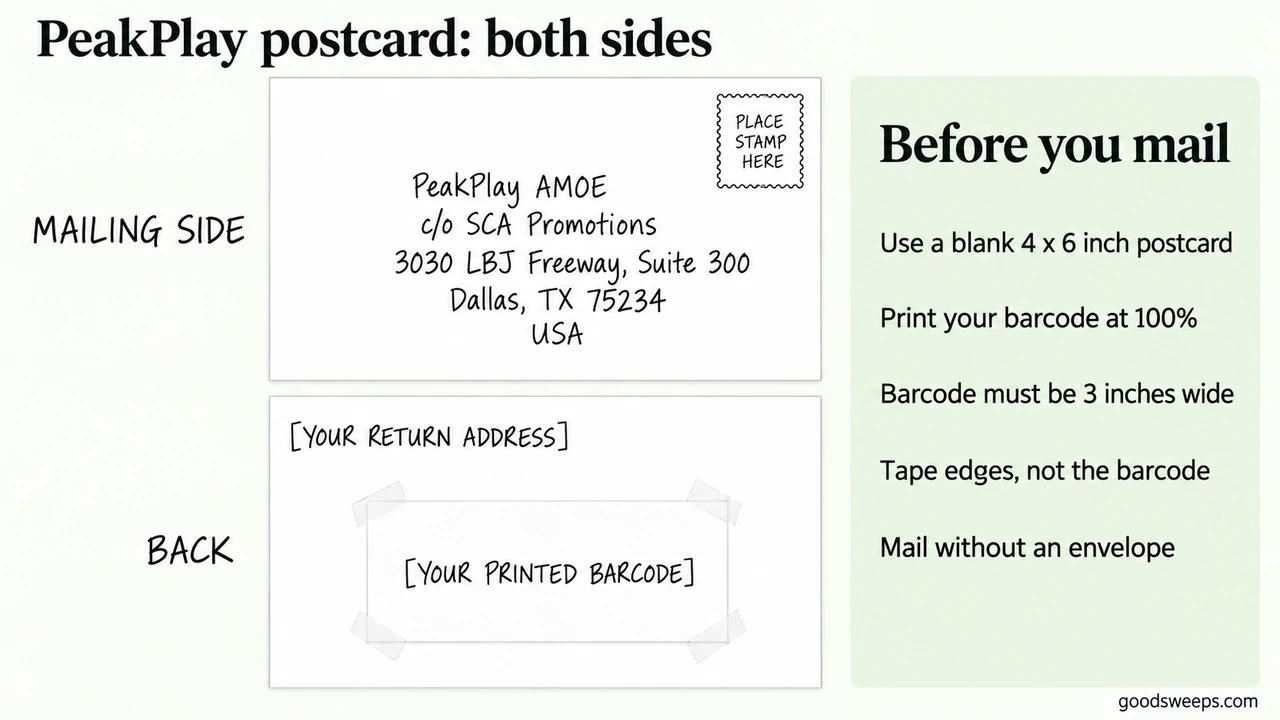
Use your own account barcode. Complete the handwriting on the sides shown.